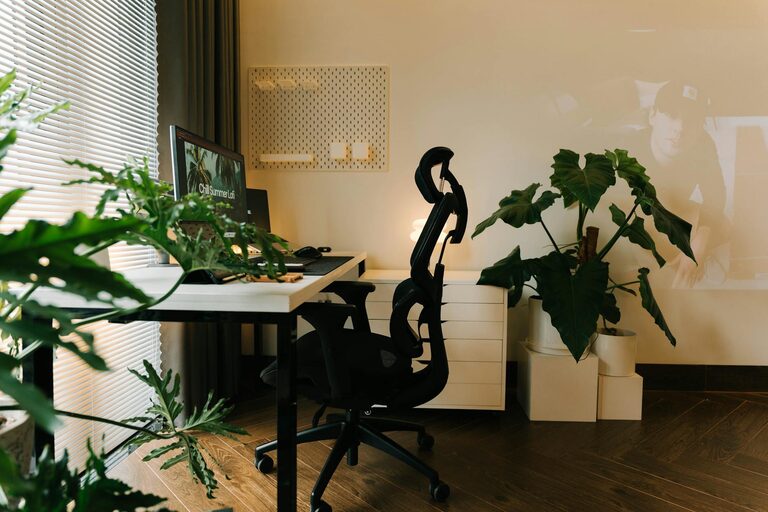







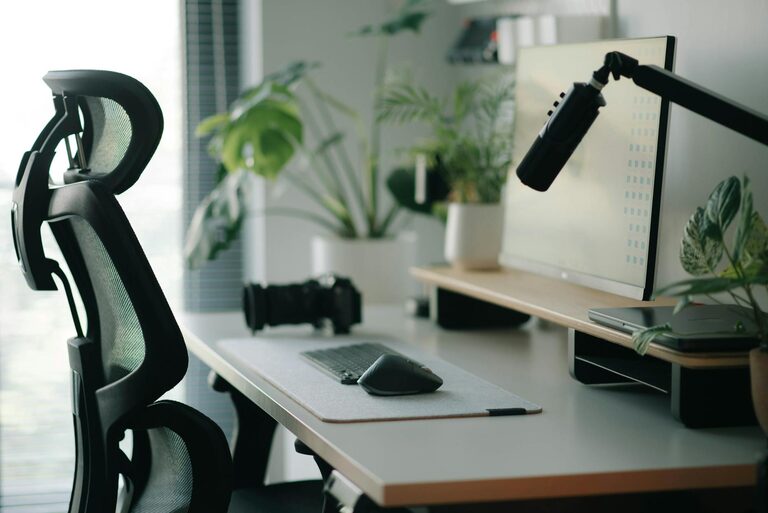
Working from home has become a common part of many people’s routines, and having a dedicated space that’s both comfortable and productive is essential. A well-organized home office can help improve your focus, reduce distractions, and maintain a healthy work-life balance. Whether you’re setting up a new workspace or revamping an existing area, these tips will guide you in creating an environment designed for success.
Choose the Right Location
The first step in creating a productive home office is selecting an ideal spot. Here are some things to consider:
– Quiet and Private: Choose a space away from the main traffic areas of your home to reduce noise and interruptions.
– Natural Light: Position your desk near a window if possible. Natural light boosts mood and alertness.
– Adequate Space: Make sure the area has enough room for your desk, chair, and any additional equipment or storage you may need.
If space is limited, consider using room dividers or noise-cancelling headphones to create a sense of separation from your living space.
Invest in Ergonomic Furniture
Comfort is key to staying focused and avoiding physical strain during long work hours.
– Chair: Opt for an adjustable chair with good lumbar support to maintain proper posture.
– Desk: Choose a desk that fits your space and allows you to comfortably reach your keyboard and monitor at eye level.
– Monitor Stand: Use a stand or adjustable arm to position your screen correctly, reducing neck strain.
An ergonomic setup can minimize discomfort and help you maintain concentration throughout the day.
Organize Your Workspace for Efficiency
A clutter-free workspace reduces distractions and makes it easier to find what you need.
Tips for organization:
– Use Storage Solutions: Shelves, drawers, and organizers keep supplies neat and accessible.
– Limit Desktop Items: Keep only essential items on your desk to maintain a clean surface.
– Cable Management: Use clips or ties to keep wires organized and out of the way.
– Digital Organization: Regularly declutter your computer desktop and files to streamline your workflow.
Keeping your workspace tidy promotes a clear mind and smooth work process.
Optimize Lighting
Good lighting improves focus and reduces eye strain.
– Combine Natural and Artificial Light: Mix daylight with well-placed lamps to avoid glare and shadows.
– Task Lighting: Use adjustable desk lamps to direct light where you need it most.
– Screen Brightness: Adjust your monitor’s brightness to match your surroundings to prevent fatigue.
Proper lighting makes a noticeable difference in comfort and productivity.
Minimize Distractions
Creating boundaries between work and home life helps maintain focus.
– Set Physical Boundaries: Clearly define your office space with furniture arrangement or room dividers.
– Noise Control: Use white noise machines or soft background music to mask disruptive sounds.
– Turn Off Notifications: Limit interruptions by silencing non-work-related alerts on your devices during work hours.
– Communicate: Let family or housemates know your work schedule to reduce unexpected disturbances.
Reducing distractions allows you to stay immersed in your tasks.
Personalize Your Space
A workspace that reflects your personality can boost motivation and comfort.
– Add Plants: Indoor plants improve air quality and create a calming atmosphere.
– Incorporate Color: Choose colors that inspire focus and relaxation, like soft blues or greens.
– Display Meaningful Items: Photos, artwork, or inspirational quotes can uplift your mood.
– Maintain Scent: Light a subtle candle or use essential oils for a pleasant environment (if safe and allowed).
Personal touches make the space inviting without becoming cluttered.
Establish a Routine and Break Schedule
Productivity is influenced by your habits as much as your environment.
– Set Work Hours: Start and end your workday at consistent times.
– Take Regular Breaks: Use techniques like the Pomodoro method (25 minutes work, 5 minutes break) to stay refreshed.
– Move Around: Stand up, stretch, or take a short walk to reduce fatigue and improve circulation.
– Limit Multitasking: Focus on one task at a time to enhance quality and efficiency.
A balanced routine supports sustained productivity and well-being.
Use Technology Wisely
Leverage technology to enhance your workspace without letting it become a distraction.
– Reliable Internet: Ensure you have a stable connection for virtual meetings and online tasks.
– Use Productivity Tools: Apps for task management, time tracking, and communication can keep you organized.
– Ergonomic Accessories: Consider wireless keyboards, external mice, or headset microphones for comfort and clarity.
– Manage Screen Time: Take breaks from screens and use apps that reduce blue light exposure.
Smart technology choices improve workflow while minimizing stress.
—
Creating a home office that balances comfort and productivity involves thoughtful planning and ongoing adjustments. By focusing on the right location, ergonomic furniture, organization, lighting, and minimizing distractions, you can build a space that supports your goals and wellbeing. Remember to personalize your workspace and maintain a healthy work routine to keep your mind sharp and motivated throughout the day.